Running a 95GB Frontier LLM with Zero GPUs? Hands-on Snapdragon Mini PC Dual-Cluster Guide
Running 40B+ open-weight models locally has traditionally required painful trade-offs: either building an expensive, noisy, dual-RTX 3090/4090 workstation, or spending $4,000+ on a high-spec 64GB/128GB unified-memory Mac Studio.
Today on r/LocalLLaMA, hardware hackers found a mind-bending budget alternative: zero dedicated GPUs, two £299 (approx. $390) Lenovo IdeaCentre Mini Snapdragon PCs, and one single USB4 Type-C cable—running the massive 95GB Qwen3.8 Flash-Next MoE model!
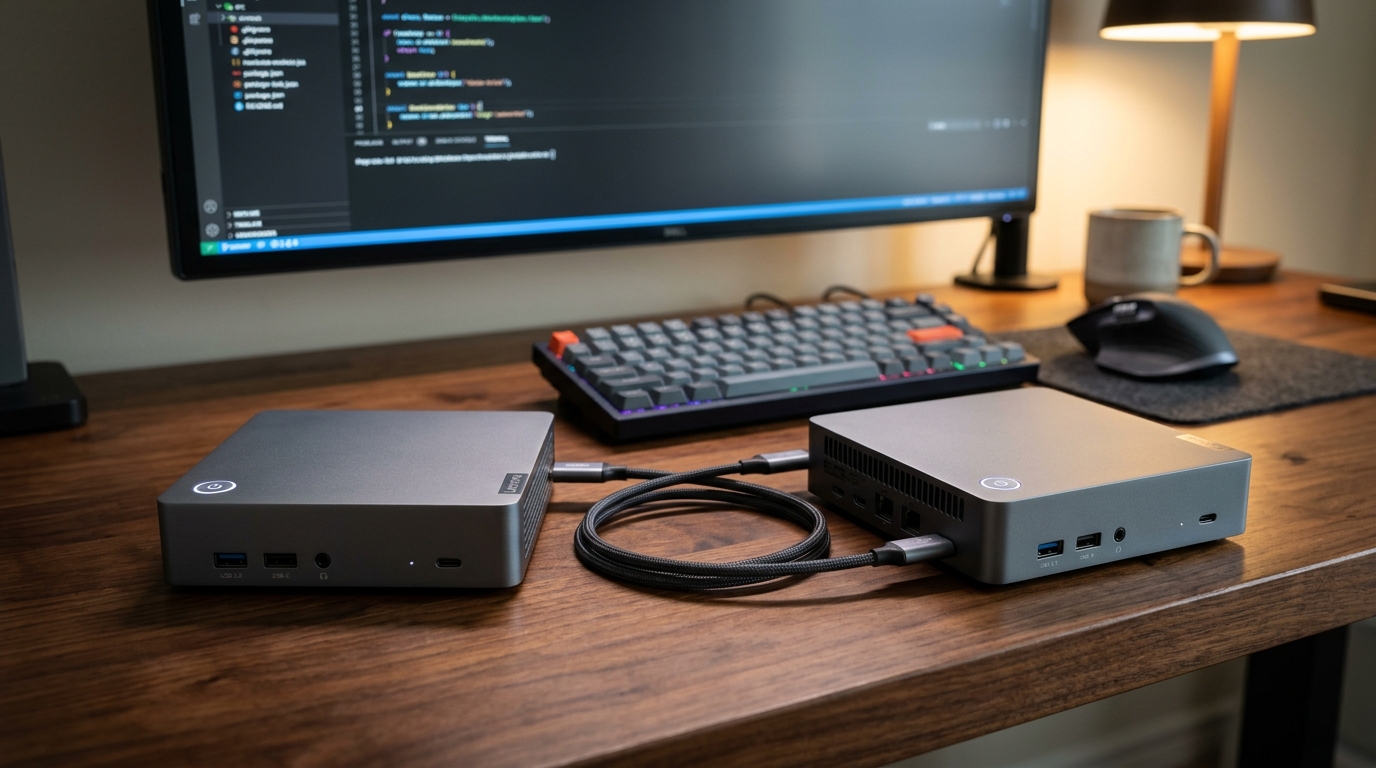
No hand-wavy theory here. I put together a complete, beginner-friendly walkthrough covering the hardware shopping list, core concepts, Windows on ARM compiler steps, model downloads, USB4 peer-to-peer configuration, and distributed CLI execution.
1. How Does This Work Without a Dedicated GPU?
Before ordering hardware, let’s understand why a 95GB model can run on lightweight ARM mini PCs:
1. MoE Architecture: Sparse Expert Activation
Dense models (like Llama-70B) must cycle all 70 billion parameters through memory for every single generated token. Mixture-of-Experts (MoE) models (like Qwen3.6-35B-A3B or Qwen3.8 Flash-Next) work differently:
- The total parameter footprint spans 35B to 40B (20GB to 95GB on disk), but only 2.5B to 3B parameters (active experts) are routed per token;
- Most experts sit idle at any given millisecond.
2. Fast NVMe Streaming + ARM NEON Acceleration
The Janas inference engine (a high-performance, pure-C LLM runtime) employs a clever trick:
- It keeps the shared attention layers and base weights resident inside 32GB of physical RAM;
- It leaves the remaining 95GB of expert weights on high-speed NVMe SSD storage;
- When a token triggers an expert, it reads page-aligned chunks from disk asynchronously while utilizing ARM NEON SIMD and
i8mminteger matrix multiplication instructions directly on the Qualcomm Oryon CPU cores.
3. Why Dual-Machine USB4 Clustering is the Sweet Spot
- Single Unit (32GB RAM): Runs the 19.4GB Qwen 35B A3B coder effortlessly at 43 tokens/s. But if you force the 95GB Flash-Next onto a single 32GB machine, heavy SSD page thrashing causes a Time-to-First-Token (TTFT) delay of 54 to 80 seconds—too slow for daily work;
- Dual Units (64GB RAM combined): Hooking two units together across a 40Gbps USB4 link gives you a pooled 64GB memory workspace. TTFT for Flash-Next drops to 12.5 seconds with sustained generation speeds of 20 tokens/s—practical and snappy.
2. Hardware Shopping & Prep List
Here is the exact hardware bill of materials:
| Hardware Component | Recommended Spec | Approx. Price | Purpose & Notes |
|---|---|---|---|
| Mini PC × 2 | Lenovo IdeaCentre Mini x (Snapdragon X X1-26-100 / 8-core Oryon + Hexagon NPU / 32GB LPDDR5 / 512GB NVMe) | Approx. £299 / $390 per unit on sale | Must specify 32GB RAM. Memory is soldered and cannot be expanded; 16GB will fail. |
| High-Speed Interconnect Cable | 40Gbps USB4 / Thunderbolt 4 Type-C Cable (1 meter) | $10 ~ $20 | Must support 40Gbps data transmission (do not use cheap charging cables). |
| Monitor & Peripherals | Any HDMI/DP monitor + USB keyboard/mouse | Existing gear | Needed for initial Windows setup; can run headless afterwards. |
Total Budget: A single machine costs around $390 to run 35B models. The dual-machine setup costs roughly $800 total—cheaper than a standalone graphics card.
3. Step 1: System & Engine Setup on Windows 11 on ARM
Both machines come with factory-installed Windows 11 on ARM. No need to dual-boot Linux; everything runs natively inside Windows ARM64.
1. Enable Developer Mode
In Windows Search, look for Developer settings and toggle Developer Mode on.
2. Download and Build the ARM-Optimized Janas Engine
Open PowerShell (or Windows Terminal) as an Administrator:
# 1. Install Git and LLVM Clang via winget (skip if already installed)
winget install Git.Git
winget install LLVM.LLVM

# 2. Clone the Janas repository
git clone https://github.com/prabanta-dev/janas.git
cd janas

# 3. Compile the native Windows on ARM binary
# Targets Snapdragon Oryon with NEON and i8mm matrix SIMD
clang -O3 -march=armv8.6-a+neon+i8mm -fopenmp src/*.c -o janas-arm.exe
(Tip: If you prefer prebuilt binaries, grab the ready-to-run janas-win-arm64.zip package directly from the author’s GitHub releases page).
4. Step 2: Model Downloads & Storage Setup
Place model files on your fastest NVMe storage path (e.g., C:\models\):
1. Daily Driver: Qwen 35B A3B Coder (Runs Great on a Single Unit)
- Hugging Face Repository:
bartowski/Qwen_Qwen3.6-35B-A3B-Q4_0.gguf - File Size: Approx. 19.4 GB
- Performance: 1.8s TTFT, 43 t/s generation speed on a single 32GB machine.
2. Flagship Target: Qwen3.8 Flash-Next (95GB MoE Beast)
- Hugging Face Repository:
ggml-org/Qwen3.8-Flash-Next-IQ4_NL - File Size: Approx. 95 GB
- Performance: Dual-machine 64GB distributed setup for deep research, tool calling, and long-context synthesis.
Download using PowerShell (example for 35B):
mkdir C:\models -Force
cd C:\models
curl -L -O "https://huggingface.co/bartowski/Qwen_Qwen3.6-35B-A3B-Q4_0-GGUF/resolve/main/Qwen_Qwen3.6-35B-A3B-Q4_0.gguf"
5. Step 3: Single-Machine Sanity Test
Before configuring dual-node clustering, verify that single-machine execution works as expected.
In PowerShell, navigate to your Janas folder and execute:
.\janas-arm.exe `
  --model C:\models\Qwen_Qwen3.6-35B-A3B-Q4_0.gguf `
  --threads 8 `
  --temp 0.6 `
  --prompt "Write a Python script to scan all active local IP addresses on the network."
Single-Machine Performance:
- Prefill Throughput: Approx. 315 tokens/s;
- Generation Speed: 43 tokens/s (smooth, instant typing flow);
- RAM Footprint: ~22 GB, comfortably within the 32GB physical ceiling.
6. Step 4: Dual-Machine USB4 Peer-to-Peer Clustering (The Secret Sauce)
To unlock the 95GB model, we link both mini PCs together. No 10GbE network switches needed—just one USB4 cable.
flowchart LR
    PC1["💻 Node A (Master)\nIdeaCentre Mini (32GB)\nIP: 192.168.100.1"] <-->|40Gbps USB4 Type-C Cable\nPeer-to-Peer Bridge| PC2["💻 Node B (Worker)\nIdeaCentre Mini (32GB)\nIP: 192.168.100.2"]
    PC1 --> User["👤 Xiaoke / CLI Interface"]
1. Physical Cabling
Plug one end of the 40Gbps USB4 cable into the rear USB-C port of PC A, and the other end into the rear USB-C port of PC B. Windows 11 will automatically configure a Thunderbolt / USB4 Ethernet Adapter.
2. Configure Static IPs (Takes 2 Minutes)
To minimize latency down to microseconds:
- On PC A:
- Open
Settings➔Network & internet➔Advanced network settings➔ Find the USB4 adapter; - Edit
IPv4:- IP Address:
192.168.100.1 - Subnet Mask:
255.255.255.0 - Gateway: Leave empty
- IP Address:
- Open
- On PC B:
- Edit
IPv4on the USB4 adapter:- IP Address:
192.168.100.2 - Subnet Mask:
255.255.255.0 - Gateway: Leave empty
- IP Address:
- Edit
From PC A, test ping 192.168.100.2. You should see response times consistently <1ms. Your 40Gbps private interconnect is live.
3. Launching Distributed Inference for 95GB Flash-Next
On Worker (PC B):
# Listen on the USB4 link
.\janas-arm.exe --worker --listen 192.168.100.2:9999 --threads 8
On Master (PC A):
# Shard weights across both nodes (pooled 64GB RAM)
.\janas-arm.exe `
  --model C:\models\Qwen3.8-Flash-Next-IQ4_NL.gguf `
  --nodes 192.168.100.1,192.168.100.2:9999 `
  --threads 8 `
  --temp 0.7 `
  --interactive
The runtime splits the model layers across both nodes and establishes an active inference session.
7. Real Benchmarks & What to Expect
Here are the unfiltered numbers comparing single-unit vs dual-unit performance:
| Benchmark Scenario | Single PC (32GB) | Dual USB4 Cluster (64GB) | Evaluation |
|---|---|---|---|
| Qwen 35B A3B (19.4GB) | TTFT 1.8s / Gen 43 t/s | TTFT 1.8s / Gen 43 t/s | Single machine is already maxed out |
| Qwen3.8 Flash Next (95GB) | TTFT 54s ~ 80s / Gen 8 t/s | TTFT 12.5s / Gen 20 t/s | Jumps from unusable to responsive |
| Power Consumption | 8W idle / 35W load | Combined ~70W full load | Roughly 10% the power of a dual-3090 rig |
| Acoustics & Heat | Whisper-quiet fan | Barely audible, mild warm airflow | Safe to leave running on a desk overnight |
Honest Takeaways
- Initial TTFT on Massive Prompts:
- A prefill speed of ~46 t/s means an 8,000-token prompt will take around 25-30 seconds before tokens start streaming;
- However, Prompt Caching saves the day in Agent workflows: After the first turn, system instructions and conversation context are cached in RAM. Follow-up responses begin streaming almost immediately;
- NPU Behavior:
- The Qualcomm Hexagon NPU gives a 3x to 4x speedup on dense models (like Gemma-4B or Qwen-8B);
- On large MoE architectures, where memory access patterns are sparse and dynamic, NPU speedups are much more modest (~1.2x).
8. Who is This Setup For?
- Budget-conscious builders & students: You can’t buy a 64GB Mac Studio or a dual-GPU PC for $800, but you can build a 64GB dual-node ARM micro-cluster that easily handles frontier open models;
- Always-on home lab agents: At 70W under load and 16W idle, it serves as an ultra-efficient, whisper-quiet local brain;
- Edge computing enthusiasts: Connecting two tiny 1L boxes with a single USB4 cable to run a 95GB model provides a level of DIY satisfaction that cloud API credits can’t match.