
AI Office · Document Reader Free to start with offline iPhone support and zero signup friction
Obsiva
Turn site photos and voice dictation offline into structured PDF inspection and audit reports
Free Tier & Quota Rules
Free to start on iPhone with no account required; captures site photos and voice notes offline into PDF reports
Overview & Core Features
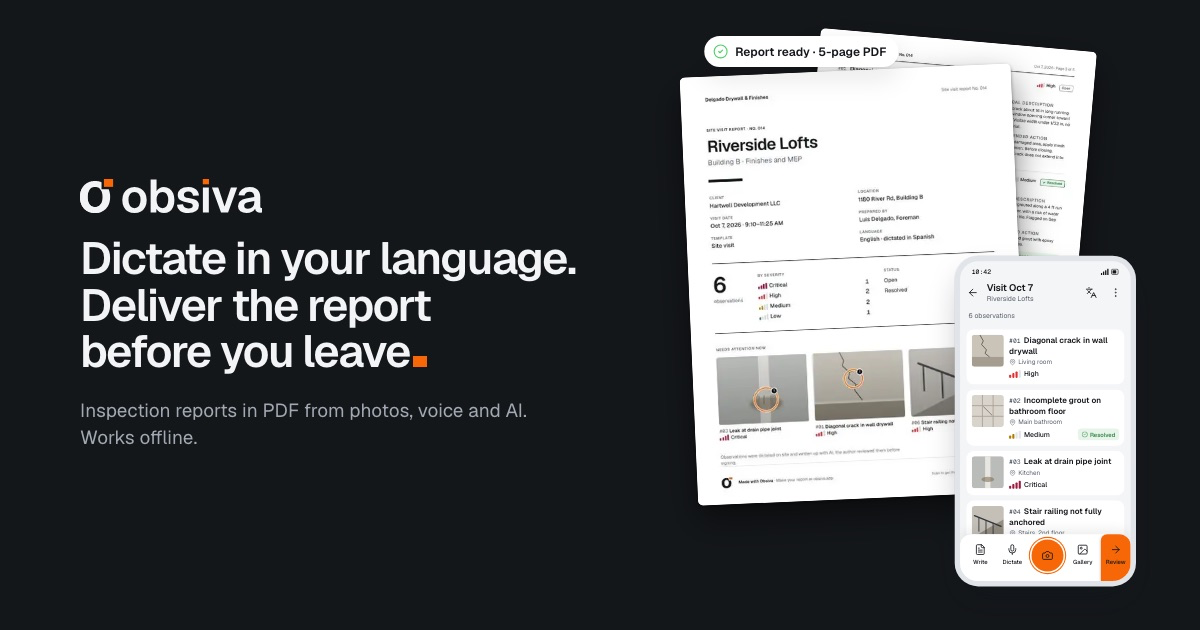
Obsiva turns mobile field inspections into finished PDF audit reports before you ever leave the job site. Inspectors simply snap photos and dictate findings aloud in their native language; Obsiva structures severity ratings, responsible parties, and remediation guidance directly offline on iPhone so teams can review, sign, and share polished reports immediately.
Interface Preview & Architecture
Pros & Limitations
Strengths
- Works offline on iPhone with no account required to start
- Converts photos and spoken observations straight into signed PDF audit reports
- Supports multilingual field dictation across English, Spanish, Portuguese, and French
Considerations
- Specialized for field inspection and audit workflows rather than general office writing
- High-volume team reporting features sit under paid plans