AI Search & Assistants · Knowledge Notebook Free Trial for Core Features
DeskMagic
Desktop visual AI helper activated by shaking your cursor to ask about anything on screen.
Free Tier & Quota Rules
No credit card required, instant shake-to-ask screen OCR and visual AI.
Overview & Core Features
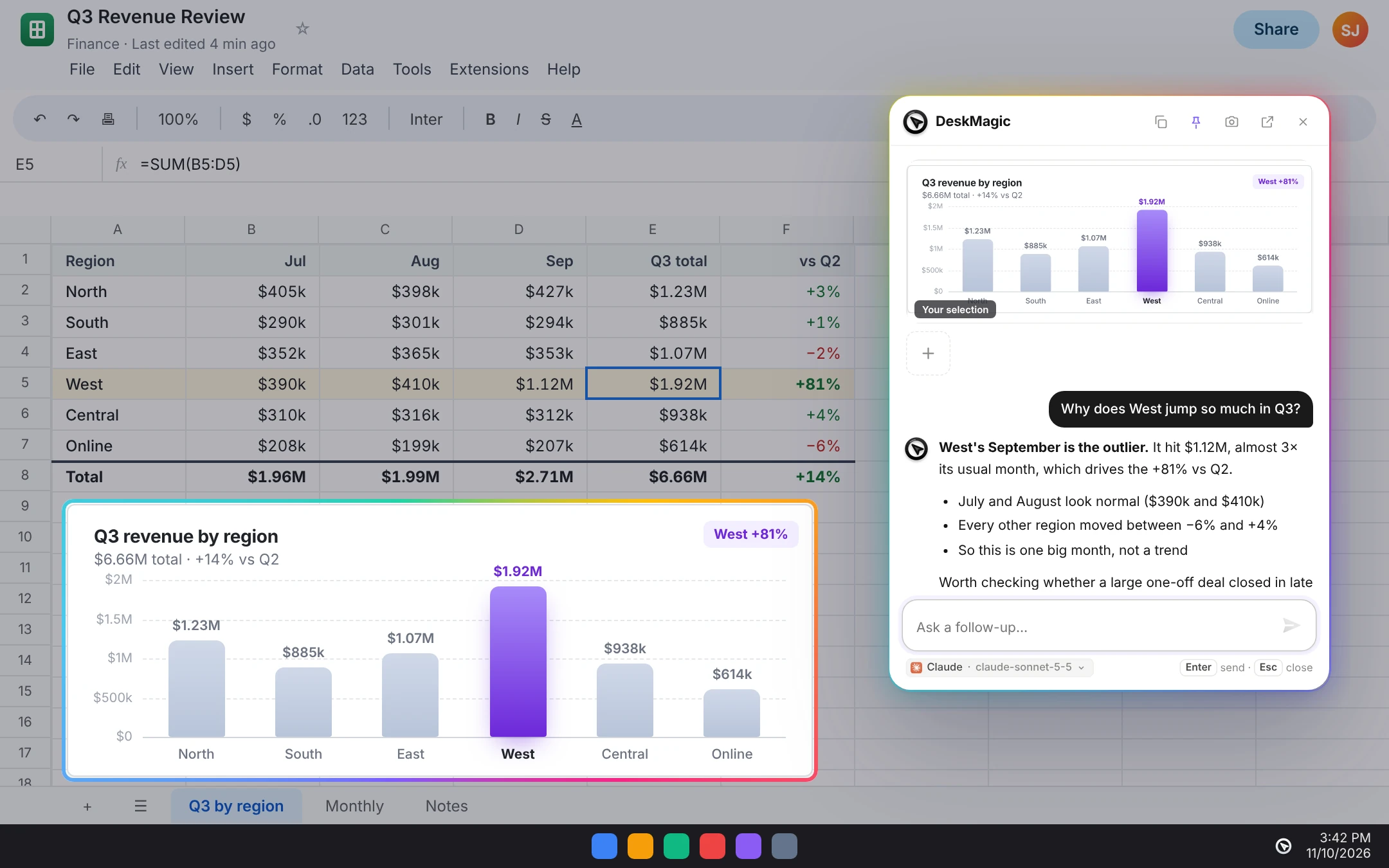
DeskMagic reinvents desktop visual assistance by minimizing workflow friction. Developers and office workers frequently capture screenshots, paste them into browser tabs, and context-switch constantly to get AI feedback. DeskMagic introduces an intuitive trigger: simply shake your cursor, and an unobtrusive floating AI companion appears right where your attention is. It captures the screen region, performs high-accuracy OCR, translates foreign text, or explains complex data charts without breaking your concentration.
Interface Preview & Architecture
Pros & Limitations
Strengths
- Instant cursor shake gesture eliminates complex hotkey combinations and app switching
- Built-in visual multimodal analysis and OCR delivers answers without saving screenshot files
- Lightweight system tray footprint with minimal CPU and memory overhead
Considerations
- Requires accessibility and screen recording permissions in the operating system to capture windows