ClipsPal
AI video editor transforming long talking-head recordings into dynamic, engaging short clips.
Free Tier & Quota Rules
Free tier grants video processing minutes and core dynamic subtitle templates.
Overview & Core Features
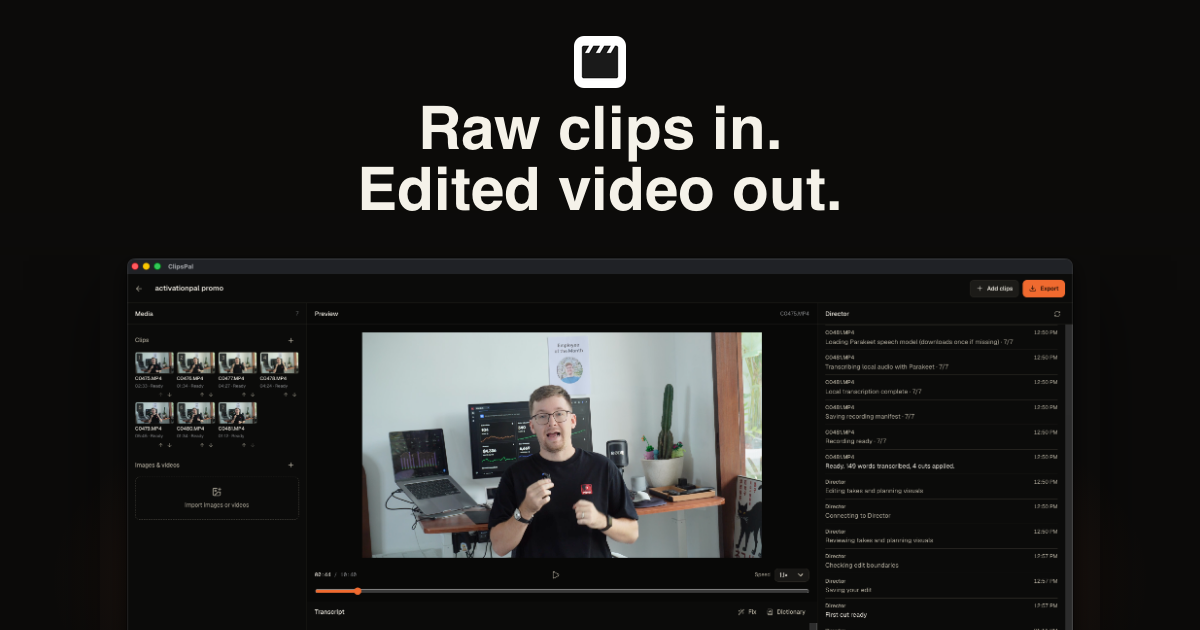
ClipsPal eliminates the grueling timeline editing hours that creators, educators, and social media managers pour into raw talking-head footage. A half-hour podcast recording or product walkthrough is often littered with long filler pauses, vocal disfluencies, and redundant tangents that require tedious manual slicing. ClipsPal leverages multimodal audio and visual models to automatically identify and expunge awkward pauses and filler words, dynamically applying animated subtitle typography, smart pan-and-zoom b-roll transitions, and contextual sound effects to transform dry footage into high-retention viral shorts.
Interface Preview & Architecture
Pros & Limitations
Strengths
- One-click removal of filler words and dead silences slashes rough-cut editing turnaround times
- Rich library of animated viral subtitle presets automatically highlights key spoken terms to maximize retention
- Automated speaker tracking seamlessly converts widescreen horizontal footage into vertical mobile formats
Considerations
- Audio with heavy ambient background noise or strong regional accents benefits from quick manual subtitle proofreading